Reservation and Allocation
If you would like to get to know the CoLAB, learn about the technology or functionality of the equipment, or have other questions regarding the space in advance, please get in touch with one of our working students and organize an appointment.
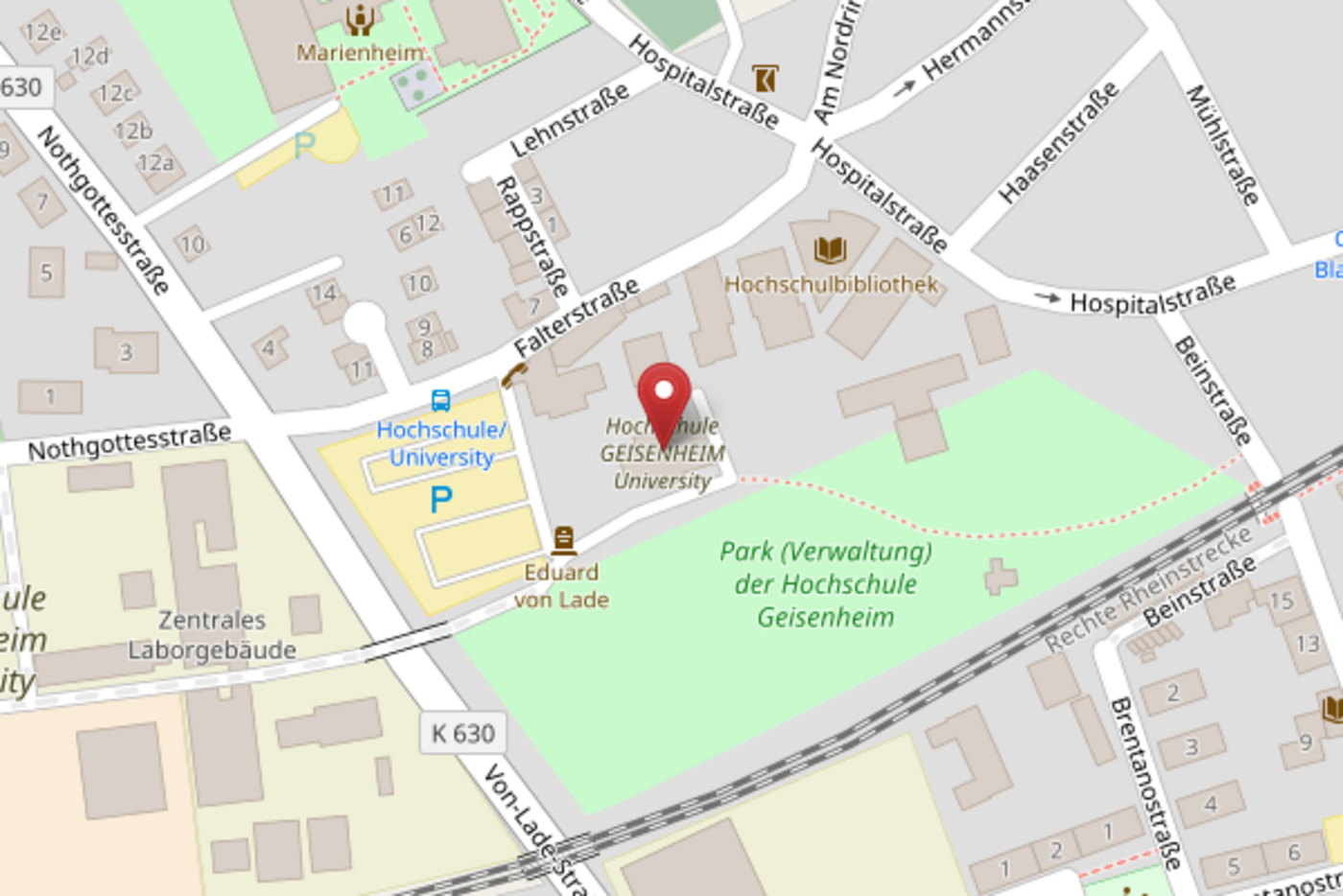
You can reserve the CoLAB via the CoLAB e-mail address. Existing reservations of the room can be viewed in Outlook (via the ‘Room Finder’ function) or in the Exchange server; to do this, add the calendar CoLAB.Geb5925@hs-gm.de from the directory.
To make your reservation, please use the room reservation form. If you want the entry to show in your students' schedules, please select the corresponding option in the reservation form. We will then pass on your reservation to the scheduling team.
Meet the CoLAB
Click here!Room Layout
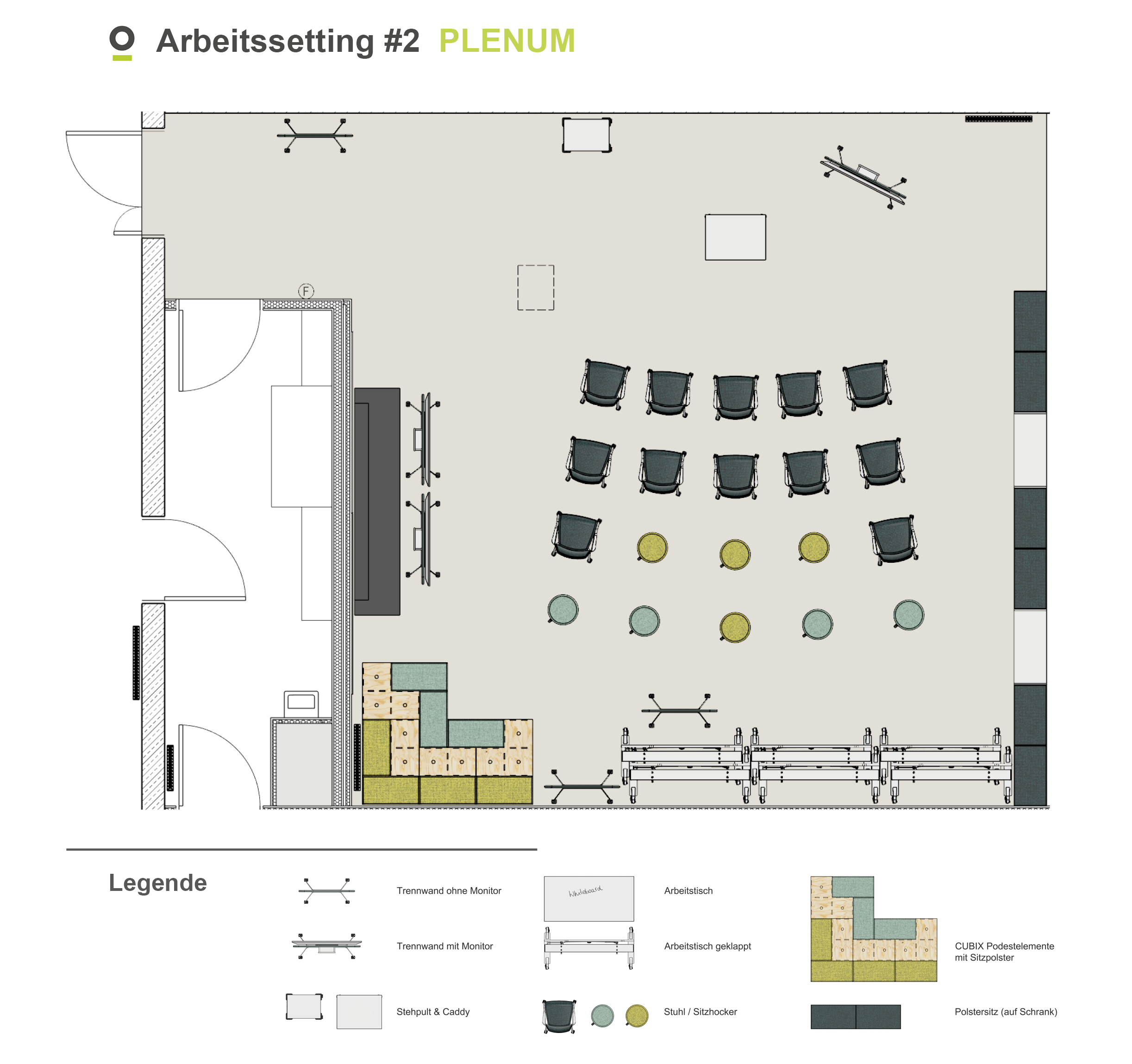
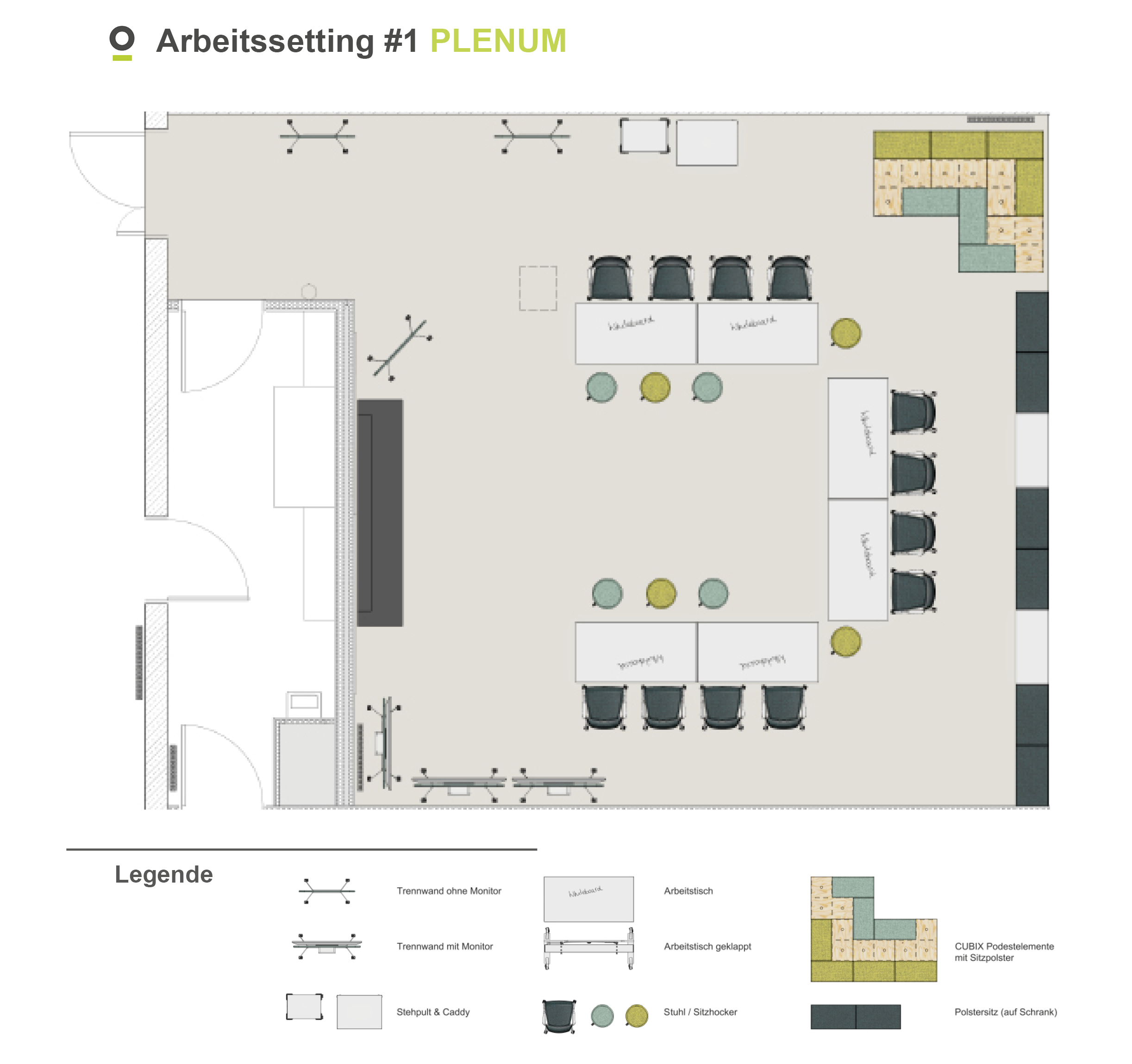
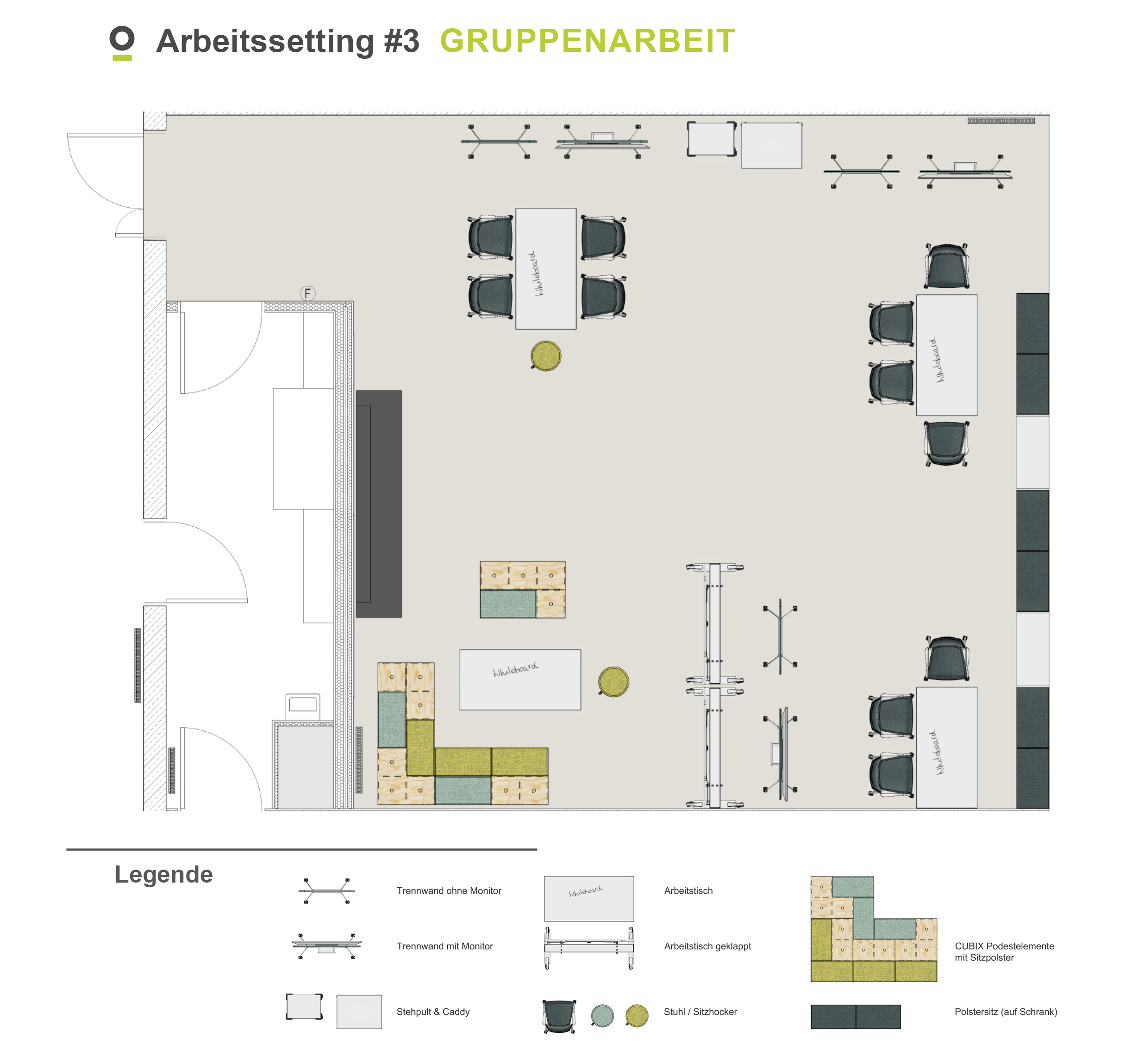
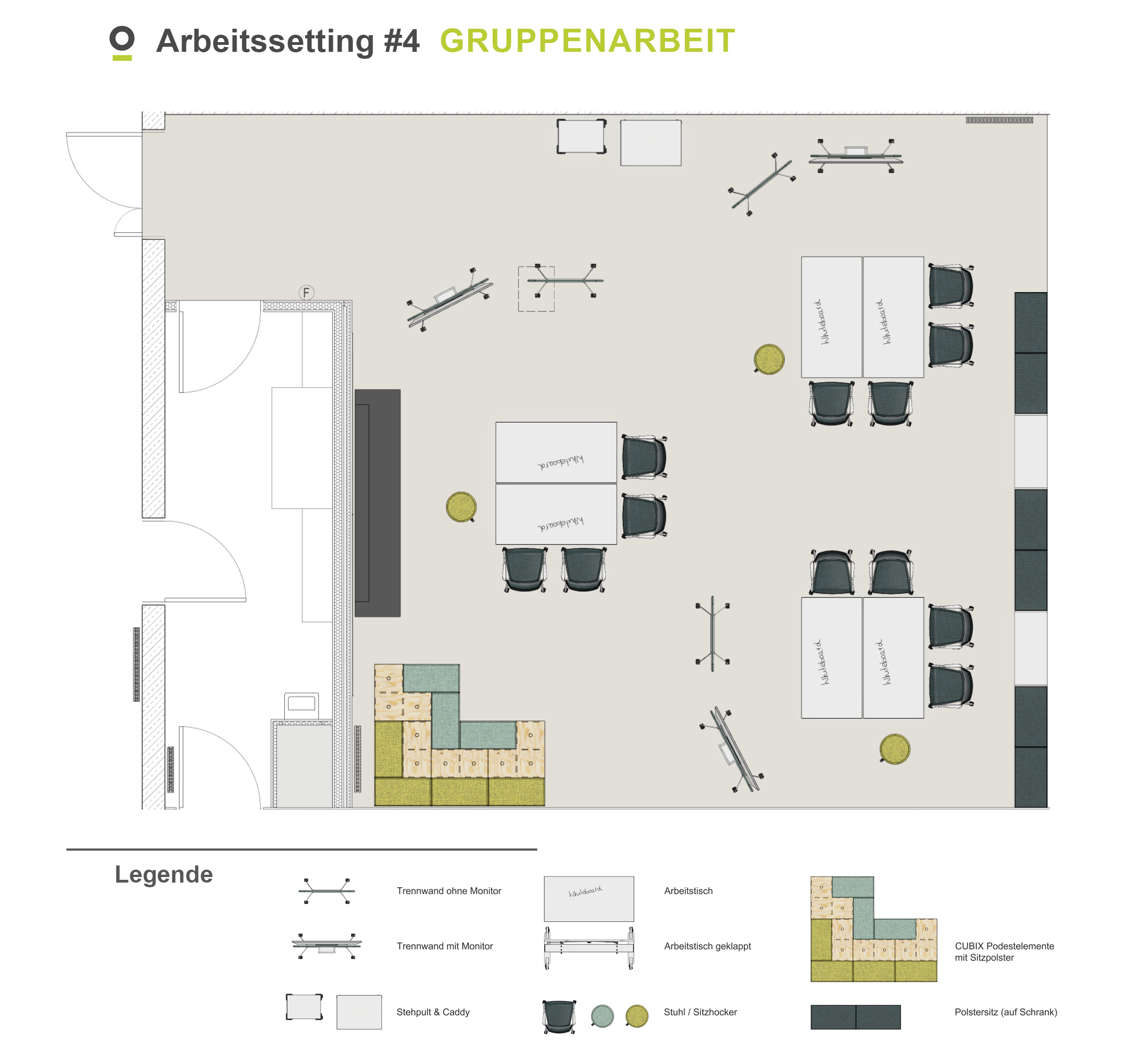
Whether it's a workshop, group activity, or time for quiet concentration, the CoLAB can adapt to your needs.
We've provided four examples of different room layouts to help you visualize the possibilities: two for plenary sessions and two for small groups.
You can also plan your own individual layout; just make sure to follow the CoLAB's directions for use!
Images
Directions for Use
Step 1 – Identify the port:
Use HDMI or USB-C – the ports should be easily visible on the front or on the media box.
Step 2 – Establish the connection:
Plug in your device – the image should appear automatically. If it does not, check the signal source using the remote control.
Tip for Mac users:
If your Mac does not recognize the display, go into ‘System Settings > Displays’ and click on ‘Detect Displays’.
Finished:
Now you can present your content. To end the connection, simply unplug your device – easy!
Help on how to use the various devices and flexible furniture is available via the QR codes attached to each item and here.
Flexible furniture, interactive screens, hub tables, walls that can be written on, acoustic elements, magnetic surfaces, a presentation case – everything you need for workshops, group work, and modern teaching formats.
Have you noticed something's missing or could be added to the space? Let us know!
Yes, you can! In the storage cabinet in the preparation room, you can find the following items:
- Consumables, e.g., whiteboard markers, Post-its, moderation cards, magnets, markers, etc.
- Paper rolls
- Cleaning supplies
- Mobile projector
- Serious Play Sets
- Equipment for recording audio, podcasts, etc.: microphones, tripods, headphones, and Rodecaster
- Laptops, headsets, USB hubs, Ethernet adapters
- Power strips
Consumables and cleaning supplies can be found on the right-hand side of the cabinet. These are freely accessible. The other items can be borrowed as needed. Please contact our CoLAB support team on site or by email at colab(at)hs-gm.de.
Feedback
If you have general feedback or suggestions for us, please use our digital feedback box!
For repair requests, reports of technical issues, or specific requirement reports, please write to the CoLAB team.